What a Rivian Can Actually Power When the Grid Goes Down
The biggest battery in my house has four wheels. Here’s how to put it to work when the power goes out.
Short answer: A Rivian R1S or R1T can keep the essentials running for days during a power outage through its built-in 120V outlets: the fridge, the modem and router, phone chargers, and a lamp or two. The limit is 1,500 watts shared across all the outlets, so it won’t run your whole house, or a space heater and a microwave at the same time. Owners who have done it report using less than 10 percent of the battery per day.
When the power goes out, most people reach for flashlights and start worrying about the food in the fridge. If there is a Rivian in the garage, you are also sitting next to a battery that holds roughly 90 to 140 kWh, depending on the pack. That is several days of electricity for the things that matter most.
It will not run your whole house. It will keep the fridge cold, the internet on, and the phones charged, with no noise, no fumes, and no fuel to store. Because nothing burns, the car can stay parked in the garage while it works, which a gas generator can never do.
This post covers what a Rivian can run during an outage, how other owners have set theirs up, and what to have on hand before the first winter storm.
What you’re working with
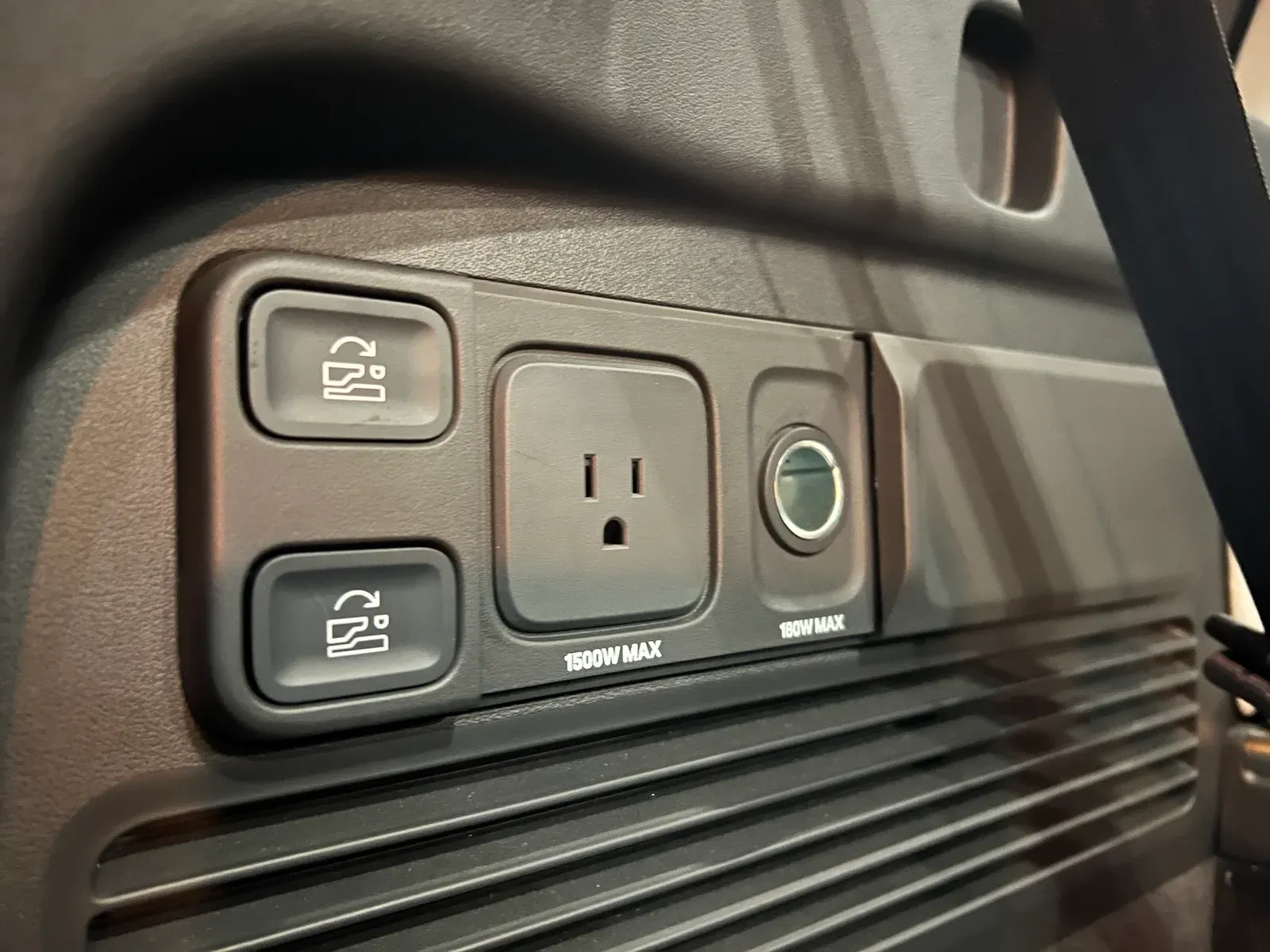
The R1S and R1T have standard 120V household outlets built in, the same kind you have in your kitchen. On the R1S there are two, including one in the rear cargo area that is easy to reach with the liftgate open.
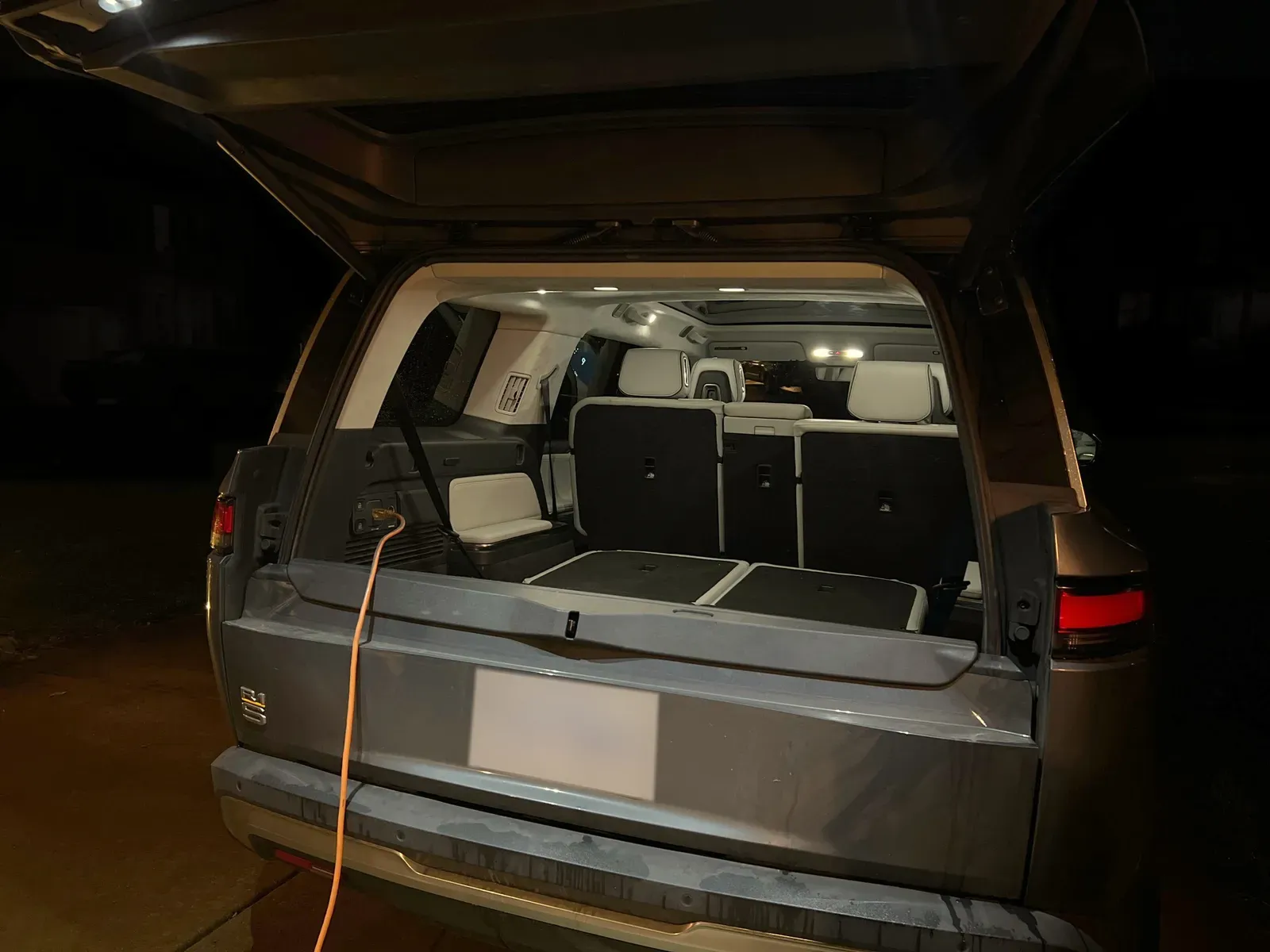
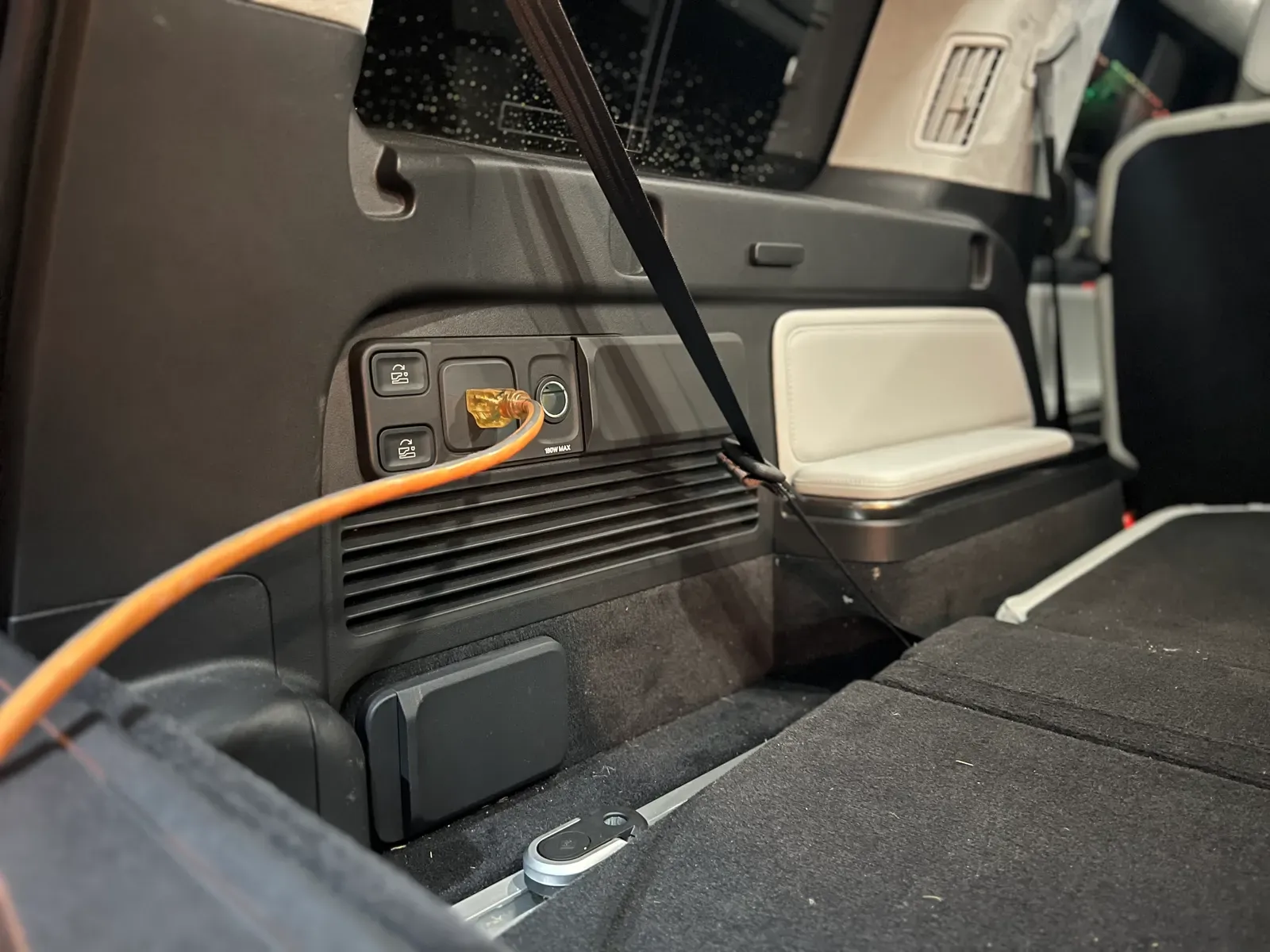
The number to remember is 1,500 watts. That is the most the vehicle will deliver, and it is shared across every outlet, not available from each one. In practice, a fridge and your internet equipment fit easily. A space heater and a microwave at the same time do not.
How much energy you have to work with depends on your battery pack. These are the usable capacities Rivian publishes for the R1S and R1T:
| Generation | Pack | Usable capacity (kWh) |
|---|---|---|
| Gen 1 (2022 to 2024) | Standard | 106 |
| Gen 1 (2022 to 2024) | Standard+ | 121 |
| Gen 1 (2022 to 2024) | Large | 131 |
| Gen 1 (2022 to 2024) | Max | 141 |
| Gen 2 (2025 and later) | Standard | 92.5 |
| Gen 2 (2025 and later) | Large | 108.5 |
| Gen 2 (2025 and later) | Max | 140 |
Even the smallest pack holds weeks of fridge-and-internet power.
This is not whole-home backup. Rivian has announced a charger that would let the vehicle power a house through the electrical panel, but it had no release date or price as of November 2026. Everything in this post works today with the outlets the vehicle already has.
What it can run, and for how long
Most outage essentials use very little power. The figures below are typical ranges; the label on your own appliance is the real answer.
| Item | Typical draw (watts) | Fits under 1,500W? |
|---|---|---|
| Modem, router, and smart home hub | 20 to 40 | Yes, easily |
| Phone and laptop charging | 10 to 100 | Yes, easily |
| LED lamp | 10 | Yes, easily |
| Refrigerator | 100 to 250 running, more at startup | Yes |
| Coffee maker | 800 to 1,200 | Yes, on its own |
| Microwave | 1,000 to 1,500 | Only with everything else off |
| Space heater | 1,500 | Uses the entire budget |
The more surprising number is how little of the battery this uses. Owners who have done it during real outages report:
- An Electrek writer ran a garage fridge and charged devices for several days after a tornado outage and used about 25 miles of range.
- A Houston owner ran a fridge, small cooking appliances, fans, and phones for nearly a week after Hurricane Beryl and used 8 to 9 percent of the battery per day.
- Another household kept the fridge, internet, TV, fans, and a game console going through a storm outage and finished with more than half the battery left.
The limit is how much you can run at once, not how long you can run it.
The basic setup: extension cords
Many owners do the simplest thing, and it works. One cord runs from the vehicle to the house, and a power strip on the end feeds the essentials.
- Consolidate first. Move food and medications into one fridge so you are powering a single appliance.
- Use a heavy cord. A 12-gauge outdoor extension cord handles the load over a long run without heating up.
- Get the cord indoors. If the garage is attached, a door to the house is enough. One owner with a detached garage ran the cord out the corner of the liftgate so the hatch could still close, then in through a window.
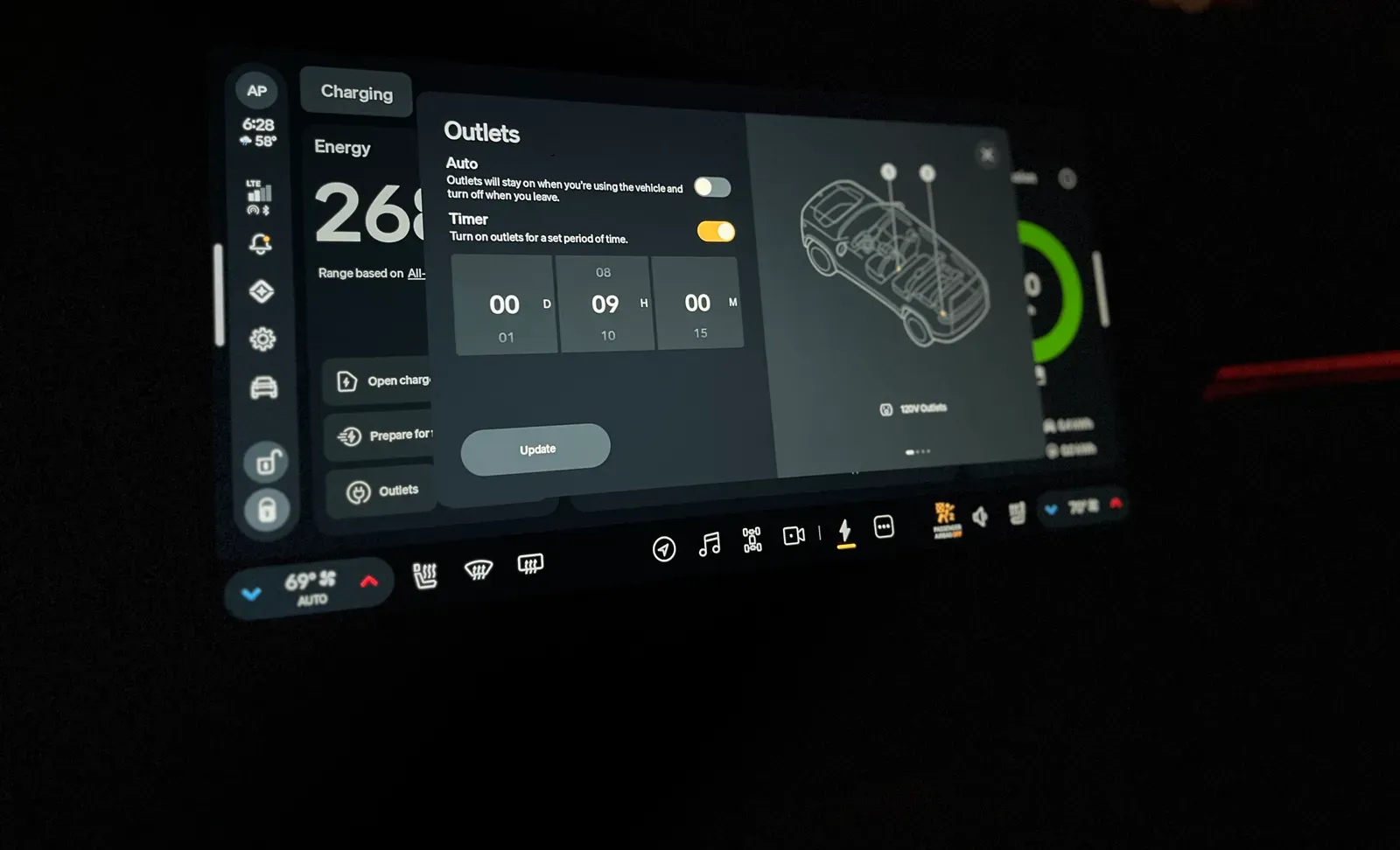
- Turn the outlets on and set the timer. The outlets run on a timer set from the center display. Owners report having to go back and reset it during a multi-day outage.
- Add loads one at a time. Start with the fridge, then the internet equipment, then chargers and lamps.
That is the whole setup. A cord and a power strip cost less than a single fridge full of spoiled groceries.
The better setup: add a portable power station
Some owners put a portable power station between the vehicle and the house. The station sits indoors and runs the appliances, and the Rivian keeps it charged through a single cord.
It solves three problems with the cord-only setup:
- Short bursts above 1,500 watts. The station covers the spike when a compressor starts or the microwave runs.
- The timer gap. When the vehicle’s outlet timer runs out overnight, the station carries the fridge and router until you reset it.
- No blink at the start. If the station stays plugged into the wall year-round with the modem and router on it, the internet stays on when the grid drops, before anyone has walked to the garage.
I don’t own one yet. So far I’ve planned around the cord setup, but this is the upgrade I’m considering before winter.
It does not need to be large. An entry-level unit in the 1 kWh class, such as the EcoFlow Delta 3, often on sale for around $600, is a small tank on its own. With the Rivian refilling it, the vehicle is the fuel supply and the station is the buffer.
You will often see these sold as “solar generators,” which is the same power station bundled with solar panels. With a Rivian you can skip the panels. A 200-watt portable panel makes about 1 kWh on a good sunny day and far less in a winter storm, while the vehicle holds roughly 100 times that. Panels are worth considering only if the vehicle may need to leave during the outage.
Two things owners say to watch:
- Turn the charging speed down. Many stations can pull as much from the wall as the Rivian can supply. Lower the input in the station’s app to leave headroom.
- Heavy loads can still trip the vehicle’s outlet. One owner found that surges from the house kept shutting the Rivian outlet off. If that happens, unplug the station from the vehicle while the big appliance runs, then plug it back in to refill.
The part most outage guides skip: your connected home
Most outage advice stops at the fridge. If your home has smart devices, the most valuable thing you can power is also one of the smallest: the modem, the router, and any smart home hub. Together they draw about as much as a couple of light bulbs.
Here is why they come first:
- Battery-powered devices keep working, but go silent. Leak sensors, door and window sensors, and smart locks run on their own batteries. Without Wi-Fi they cannot send you an alert.
- Winter is when alerts matter most. A house without heat is a house where pipes can freeze. A leak or temperature alert that reaches your phone is worth far more than a cold drink.
- You may not be home. If the outage happens while you are away, a connected home is how you know what is going on inside.
- Locks still open. A smart lock with a keypad works without power or internet, but remote access and notifications need the network.
One caution: keeping your equipment on only helps if your internet provider’s network is still up. In a wide outage it may not be, so treat connectivity as likely, not guaranteed.
My priority order for the power strip:
- Refrigerator
- Modem, router, and hub
- Phone and laptop chargers
- One or two lamps
- Everything else, one appliance at a time
What about heating one room? It works, with care. Most space heaters draw 1,500 watts on high, which is the vehicle’s entire budget, so the fridge would trip the outlets the moment it cycles on. The low setting, usually around 750 watts, leaves room for the fridge and the internet equipment. Heat is also the one load that uses real energy: 750 watts around the clock is about 18 kWh a day, more than a fridge uses in a week. Run it in one closed room, and consider a heated blanket at roughly 100 watts for overnight.
Mistakes to avoid
- Going over 1,500 watts. The outlets shut off when you exceed the limit. Run high-draw appliances one at a time and unplug them when you are done.
- Assuming every appliance is safe to plug in. Test each appliance from the vehicle’s outlet before you depend on it in an outage.
- Using a thin or coiled cord. Light-duty cords heat up under a sustained load, and a coiled cord heats up faster. Use a heavy-gauge cord and lay it out flat.
- Starting with a low battery. When a storm is in the forecast, charge to 100 percent the night before.
- Plugging the cord into a wall outlet to “feed” the house. This is dangerous for you and for utility workers. Appliances plug into the cord, never the cord into the wall.
- Counting on it for water. If your home is on a well, the pump almost certainly needs more than these outlets can give.
What to buy before the first storm
None of this is expensive, and all of it is easier to buy in November than during a storm warning. Most of it also makes a practical gift for an EV owner.
- 12-gauge outdoor extension cord, long enough to reach from where you park to the fridge
- Quality power strip with a built-in breaker
- Plug-in watt meter, so you know what each appliance draws
- A second, shorter cord for the modem and router if they sit far from the fridge
- Optional: a portable power station in the 1 kWh class
Keep the cord and power strip together in one bin, labeled, somewhere you can find in the dark.
Try it before you need it
The best preparation is a dry run. Pick an afternoon, run the cord, plug in the fridge and the router, and watch what happens for a few hours. You will learn how long a cord you need, where it enters the house, and how little of the battery it uses.
After 50,000 miles, I think of the R1S as more than transportation. It is also the largest battery I own, and on the day the grid goes down that may be the feature that matters most.